
Roblox Studio is the game creation engine and building platform that helps enhance creative thinking, problem-solving, planning and foresight, and communication skills. It is a powerful tool designed for users to create their own games and interactive experiences within the Roblox ecosystem. Whether you’re a beginner or an aspiring game developer, this platform offers a dynamic environment to bring your ideas to life.
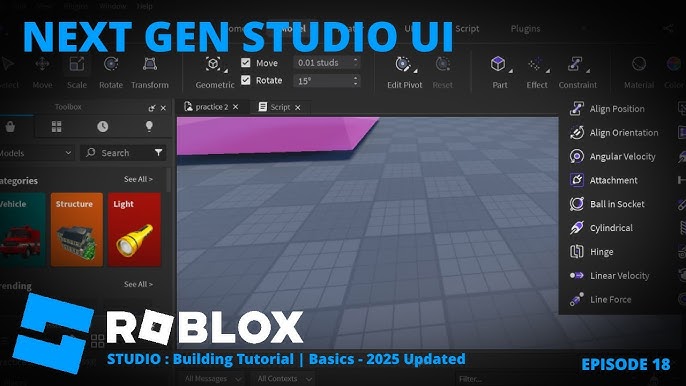
What is Roblox Studio? An overview
History, origin
Roblox Studio was developed by Roblox Corporation as part of the Roblox platform, which launched in 2006. It was created to empower users to build their own games and virtual worlds using a simple yet versatile interface. Over the years, it has grown into a robust game creation engine widely used by millions of developers worldwide.
Versions and editions
The game creation engine is available for free as part of the Roblox platform. There are no separate paid editions of Roblox Studio itself; however, Roblox offers premium subscriptions for additional benefits within the platform. The software supports multiple languages, including English, Spanish, German, French, Portuguese, and more, making it accessible to a global audience.
Platform availability
Roblox Studio is available on Windows and macOS operating systems. It requires a PC or Mac with a 64-bit processor and at least 4GB of RAM. The platform is designed primarily for desktop use, as it offers the full range of creation tools and scripting capabilities.
Audience & age
The platform is suitable for users aged 13 and older, although younger users can participate with parental guidance. It attracts a diverse audience ranging from hobbyists and students to professional developers. Its ease of use combined with advanced features makes it ideal for beginners and experienced creators alike.
Educational Value – What skills does Roblox Studio develop?
- Creative thinking: The platform encourages users to design unique game worlds, characters, and mechanics, fostering imagination and originality.
- Problem-solving: Users learn to troubleshoot coding issues, optimize game performance, and refine gameplay, which strengthens analytical skills.
- Planning and foresight: Developing a game requires planning storylines, game flow, and user experience, helping users develop strategic thinking.
- Communication: Collaboration with other developers and sharing projects builds teamwork and communication abilities.
Prior knowledge of basic programming concepts, particularly Lua scripting, can be helpful but is not mandatory. The platform offers tutorials and community resources to assist beginners in learning the necessary skills.
How to play Roblox Studio?
What does it look like?
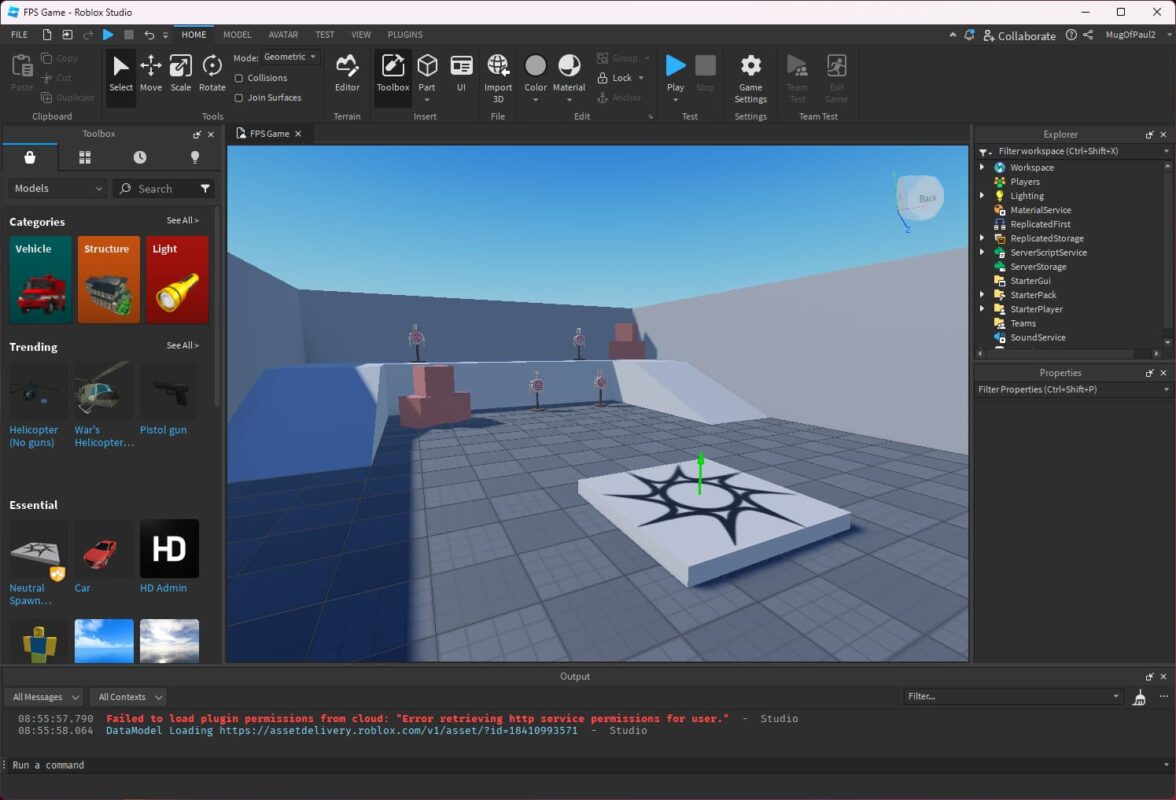
The interface features a workspace where users can drag and drop objects, edit properties, and write scripts. When downloaded, users receive the full software digitally with access to all creation tools. The technical requirements are moderate: a PC or Mac with at least 4GB RAM, a 1.6 GHz processor or better, and a stable internet connection for publishing and collaboration.
Core concept, gameplay style & mechanics
Roblox Studio is not a traditional game but a development environment. Its core concept revolves around building and scripting interactive experiences. Users manipulate 3D assets, create game logic using Lua scripting, and test their creations in real-time. The mechanics include terrain editing, model importing, animation, and multiplayer setup.
Objective of the game
The primary objective is to design and build engaging games or virtual worlds. Creators aim to develop unique gameplay experiences that can be shared with the Roblox community or monetized through the platform.
Step-by-step basic gameplay loop
- Open Roblox Studio and select a template or start a new project.
- Design the environment by adding terrain, objects, and assets.
- Write scripts to add interactivity and game logic.
- Test the game within the studio to check functionality and fix bugs.
- Publish the game to Roblox for others to play and provide feedback.
Common mistakes
- Overcomplicating scripts without understanding Lua basics.
- Neglecting optimization, leading to lag or crashes.
- Ignoring user experience, resulting in confusing gameplay.
- Not testing thoroughly before publishing.
Expert tips
- Start with simple projects to master basic tools and scripting.
- Utilize Roblox’s extensive tutorials and community forums.
- Focus on user-friendly design and clear objectives.
- Regularly update and improve your game based on player feedback.
Alternative games to Roblox Studio
Cities: Skylines is a city-building simulation game that offers a deep planning and management experience. It’s ideal for those interested in urban design and infrastructure development. Unlike Roblox Studio, it focuses on simulation rather than game creation, but it still fosters planning and problem-solving skills. Learn more about it here.
Minecraft is a sandbox game that allows players to build and explore blocky worlds. It shares similarities with Roblox Studio in terms of creativity and building but is more focused on gameplay and exploration rather than game development. Minecraft is a great alternative for those who enjoy open-ended creativity with less emphasis on scripting. Discover more about Minecraft here.
Roblox Studio FAQ
What is Roblox Studio?
It is a free game creation engine and building platform that allows users to design, script, and publish their own games within the Roblox ecosystem.
Do I need coding skills to use Roblox Studio?
Basic knowledge of Lua scripting helps but is not required. The platform provides tutorials and visual tools to assist beginners.
Is Roblox Studio free to use?
Yes, the software is free to download and use. Some Roblox platform features may require a premium subscription.
What are the system requirements for Roblox Studio?
A PC or Mac with a 64-bit processor, at least 4GB RAM, and a stable internet connection is recommended.
Can I make multiplayer games with Roblox Studio?
Yes, the platform supports multiplayer game development with built-in networking features.
To sum up
Roblox Studio is a versatile game creation engine and building platform that helps enhance creative thinking, problem-solving, planning and foresight, and communication. It offers a user-friendly yet powerful environment for aspiring developers to bring their ideas to life and share them with a global community.
To play Roblox Studio
Web browser: https://www.roblox.com/create
PC: https://www.roblox.com/download
Sources
Player Reviews
There are no reviews yet. Be the first one to write one.