
Minecraft (Architecture Mod) is a unique voxel building game that combines the beloved sandbox mechanics of Minecraft with specialized architectural tools. This mod enhances your ability to create stunning structures while developing key skills such as creative thinking, aesthetic appreciation, planning and foresight, and problem-solving. Whether you’re a seasoned builder or a newcomer, the game offers an engaging platform to explore architectural design in a playful and educational way.
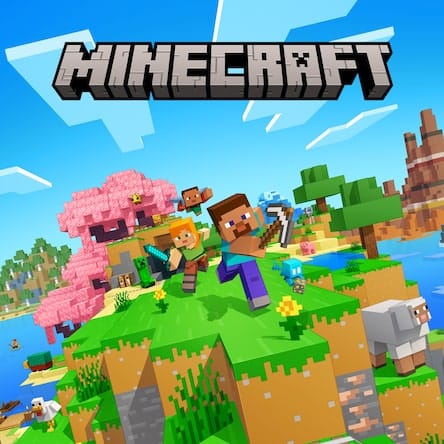
What is Minecraft (Architecture Mod)? An overview
History, origin
The Architecture Mod for Minecraft originated as a community-driven project aimed at expanding the creative possibilities within the base game. Minecraft itself was released by Mojang in 2011 and quickly became a cultural phenomenon. The Architecture Mod builds upon Minecraft’s core voxel-building mechanics by adding tools and features tailored specifically for architectural design, allowing players to experiment with building techniques and styles more easily.
Versions and editions
The Architecture Mod is available as an add-on for the Java Edition of Minecraft, which is the most flexible platform for mods. The mod is free to download but requires owning the base game, which typically costs between $20 and $30 USD. Minecraft supports multiple languages including English, Spanish, French, German, Chinese, and more, making it accessible worldwide.
Platform availability
The mod is compatible with Windows, macOS, and Linux versions of Minecraft Java Edition. It is not officially supported on Minecraft Bedrock Edition or consoles, as modding capabilities are limited on those platforms.
Audience & age
This game mod is suitable for players aged 10 and up, particularly those interested in architecture, design, and creative building. It appeals to both casual gamers and aspiring architects who want to experiment with structural concepts in a low-pressure environment.
Educational Value – What skills does Minecraft (Architecture Mod) develop?
- Creative thinking: The game encourages players to imagine and construct unique buildings, fostering innovation and original ideas.
- Aesthetic appreciation: Players develop an eye for design by experimenting with shapes, colors, and architectural styles within the voxel environment.
- Planning and foresight: Building complex structures requires careful planning, resource management, and anticipating future steps.
- Problem-solving: Players face challenges such as structural stability and spatial constraints, which promote critical thinking and adaptive strategies.
Prior knowledge of basic Minecraft controls is helpful but not mandatory. The mod is designed to be accessible for players familiar with the base game mechanics.
How to play Minecraft (Architecture Mod)?
What does it look like?
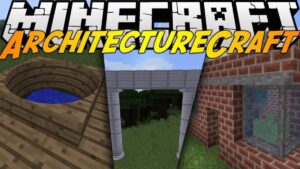
Upon installation, players gain access to additional building tools and blocks that streamline architectural design. The interface integrates seamlessly with Minecraft’s familiar UI, adding menus for blueprints, measurement tools, and enhanced block placement options.
The base game requires a PC with at least 4GB RAM, a dual-core processor, and a graphics card supporting OpenGL 2.1 or higher. The mod itself doesn’t significantly increase system requirements but benefits from a stable Minecraft installation.
Core concept, gameplay style & mechanics
The gameplay centers on constructing detailed buildings using voxel blocks, enhanced by architectural tools that help with precision and design complexity. Players can create floor plans, use templates, and apply symmetry tools to speed up the building process.
Objective of the game
The main goal is to design and build impressive architectural structures, ranging from simple houses to elaborate castles or modern skyscrapers. The mod encourages creativity and mastery of architectural principles rather than competitive objectives.
Step-by-step basic gameplay loop
- Plan your structure by sketching or selecting a blueprint.
- Gather or select building materials within the game.
- Use the mod’s tools to place blocks with precision.
- Adjust designs using symmetry and measurement features.
- Refine aesthetics by choosing colors and decorative blocks.
- Review and modify your build as needed.
Common mistakes
- Neglecting to plan the layout before building, leading to inefficient use of space.
- Overcomplicating designs without considering structural coherence.
- Ignoring resource constraints if playing in survival mode.
- Failing to use the mod’s tools effectively, which can slow progress.
Expert tips
- Start with simple projects to get comfortable with the architectural tools.
- Use the symmetry functions to save time and create balanced designs.
- Experiment with different block types to achieve unique textures and colors.
- Watch tutorials and join community forums for inspiration and support.
Alternative games to Minecraft (Architecture Mod)
Two excellent alternatives for players interested in architectural and creative building games are Cities: Skylines and Minecraft (Creative).
Cities: Skylines focuses on city-building simulation, offering in-depth urban planning, infrastructure management, and zoning. It’s ideal for players who want to expand their architectural skills into city-scale design and management.
Minecraft (Creative) mode provides the classic sandbox experience without survival constraints, allowing unlimited resources and freedom to build anything imaginable. It’s perfect for those who want pure creative expression without additional mod tools.
Minecraft (Architecture Mod) FAQ
What is the Architecture Mod in Minecraft?
The Architecture Mod is an add-on for Minecraft Java Edition that introduces specialized tools and features to enhance building and architectural design within the game.
Is the Architecture Mod free to use?
Yes, the mod itself is free to download, but you need to own the base Minecraft Java Edition to use it.
Which platforms support the Architecture Mod?
The mod is compatible with Minecraft Java Edition on Windows, macOS, and Linux. It is not supported on consoles or the Bedrock Edition.
What skills can I develop playing this game?
Players develop creative thinking, aesthetic appreciation, planning and foresight, and problem-solving skills through building and design challenges.
Do I need prior Minecraft experience to play?
Basic familiarity with Minecraft controls helps but is not strictly required. The mod is designed to be accessible for new and experienced players alike.
For further learning and playing
For players interested in expanding their architectural and creative skills, exploring Cities: Skylines offers a deep dive into urban planning and management. Meanwhile, Minecraft (Creative) provides a pure creative sandbox experience to experiment freely without survival mode limitations.
To sum up
Minecraft (Architecture Mod) is a fantastic tool for players who want to blend creativity with architectural design. It develops essential skills like creative thinking and problem-solving while providing a fun and engaging building experience.
Sources
Player Reviews
There are no reviews yet. Be the first one to write one.