
Minecraft (Code Builder) is an innovative tool for learning coding within the Minecraft environment that helps enhance problem-solving, creative thinking, planning, and foresight. It combines the fun and immersive world of Minecraft with programming skills, making coding accessible and enjoyable for learners of all ages. Whether you’re a beginner or have some coding experience, this tool offers a unique way to develop essential skills through interactive gameplay.
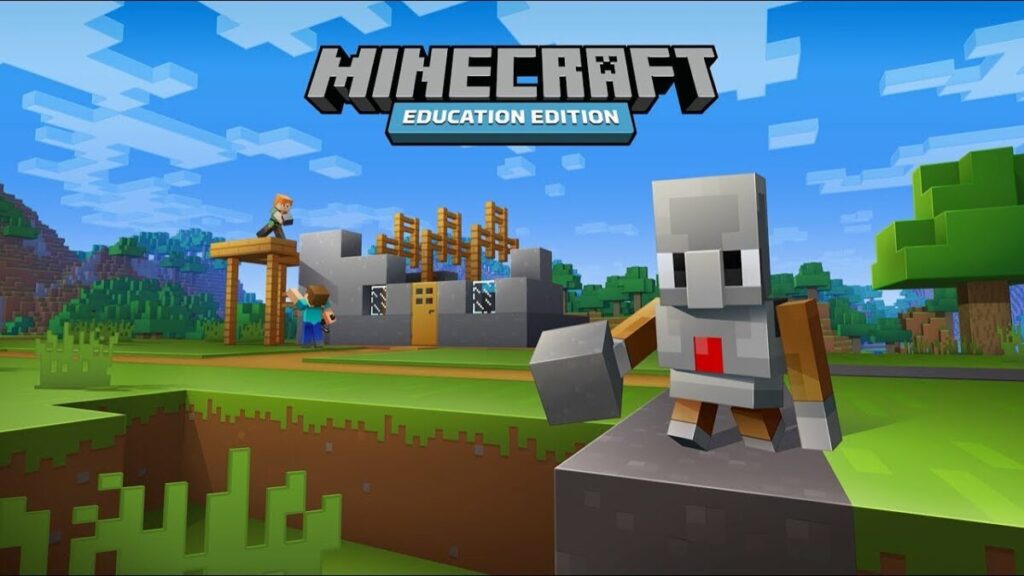
What is Minecraft (Code Builder)? An overview
History, origin
The Code Builder feature was introduced as part of Minecraft: Education Edition, which was launched in 2016 by Mojang Studios and Microsoft. It was designed to integrate coding education directly into the popular Minecraft game, allowing players to write code that interacts with the Minecraft world. The initiative aims to make learning programming more engaging by leveraging Minecraft’s familiar and creative environment.
Versions and editions
Code Builder is primarily available within Minecraft: Education Edition. This edition is tailored for classroom use and individual learners interested in educational content. The price for Minecraft: Education Edition typically ranges from $5 to $7 per user per year, depending on licensing agreements and educational institutions. It supports multiple languages, including English, Spanish, French, German, Chinese, and more, making it accessible worldwide.
Platform availability
The game runs on Windows, macOS, and iPadOS. It requires a relatively modern device capable of running Minecraft: Education Edition smoothly, including sufficient RAM and graphics capabilities. The platform support ensures that schools and learners can access the tool on popular devices.
Audience & age
Minecraft (Code Builder) is designed for learners aged 8 and above. It is suitable for beginners who want to explore coding concepts and for educators seeking to teach programming in an interactive way. The game’s intuitive interface and gradual learning curve make it ideal for children, teens, and even adults who want to develop coding skills in a fun environment.
Educational Value – What skills does Minecraft (Code Builder) develop?
- Problem-solving: Players write code to solve in-game challenges, debug scripts, and automate tasks, fostering analytical thinking and troubleshooting skills.
- Creative thinking: The game encourages creativity by allowing users to design custom commands and build complex structures through coding, blending imagination with logic.
- Planning and foresight: Success in the game requires planning code sequences and anticipating outcomes, which helps develop strategic thinking and foresight.
While no prior coding knowledge is required to start, familiarity with basic computer operations helps. The game provides tutorials and guided lessons that progressively introduce coding concepts using block-based and JavaScript programming.
How to play Minecraft (Code Builder)?
What does it look like?
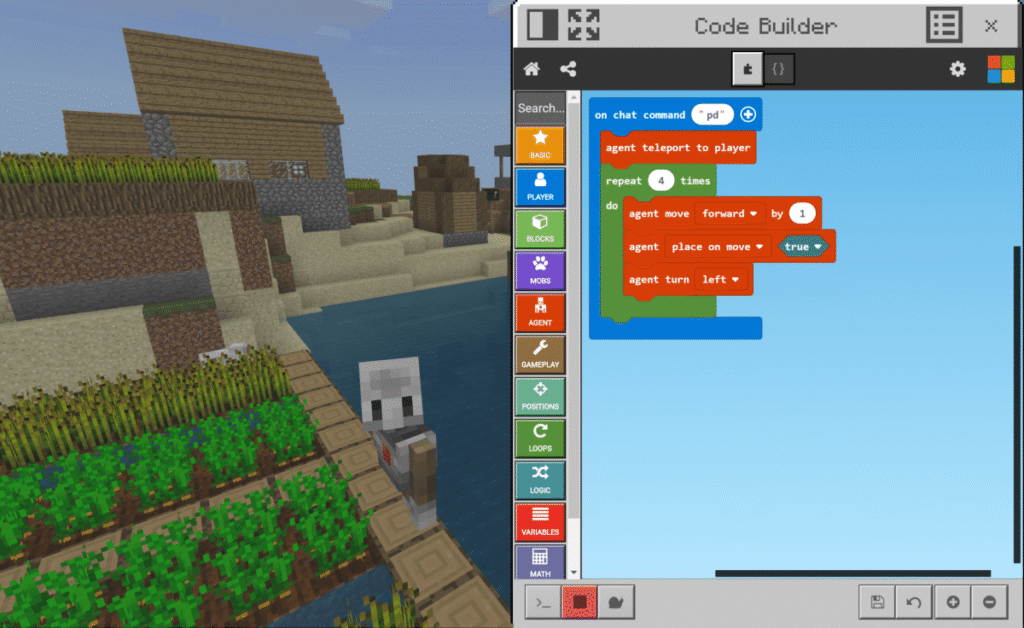
The game is played digitally through Minecraft: Education Edition. Upon purchase, players receive access to the full software with Code Builder integrated. The interface combines the classic Minecraft view with a coding window where players write and test their programs. The technical requirements include a Windows 10 or later PC, macOS 10.13 or later, or an iPad running iPadOS 13 or later. A stable internet connection is needed for downloading and updates.
Core concept, gameplay style & mechanics
Players interact with the Minecraft world by writing code that controls their character and environment. The gameplay merges traditional Minecraft exploration and building with coding commands that automate actions or create new behaviors. This blend of sandbox creativity and programming logic makes the experience both educational and entertaining.
Objective of the game
The main goal is to complete coding challenges that teach programming concepts while exploring and modifying the Minecraft world. Players aim to solve puzzles, automate tasks, and create projects that demonstrate their growing coding skills.
Step-by-step basic gameplay loop
- Launch Minecraft: Education Edition and open the Code Builder interface.
- Choose a coding language (block-based or JavaScript).
- Follow tutorials or create custom code to interact with the Minecraft world.
- Test and debug the code to achieve the desired in-game effects.
- Complete challenges or build personal projects using coding skills.
Common mistakes
- Not testing code frequently, leading to compounded errors.
- Skipping tutorials and trying advanced coding too soon.
- Ignoring error messages instead of debugging step-by-step.
Expert tips
- Start with block coding before moving to JavaScript for smoother learning.
- Use the built-in tutorials to understand core concepts thoroughly.
- Experiment creatively to reinforce learning and discover new possibilities.
- Engage with the Minecraft education community for support and ideas.
Alternative games to Minecraft (Code Builder)
Elevator Saga is a browser-based coding game where players program elevators to efficiently transport passengers. It challenges players to optimize algorithms and resource management, making it a great alternative for those interested in algorithmic thinking. You can explore it here.
Untrusted is another coding game that involves hacking and debugging in a narrative-driven environment. It encourages players to think critically and manipulate code to progress. It’s a compelling alternative for those who enjoy puzzle-solving through code. Check it out here.
Minecraft (Code Builder) FAQ
What is Minecraft (Code Builder)?
It is a coding tool integrated into Minecraft: Education Edition that teaches programming by allowing players to write code that interacts with the Minecraft world.
Who can use Code Builder?
It is designed for learners aged 8 and up, including students, educators, and anyone interested in learning coding through Minecraft.
What programming languages are supported?
Code Builder supports block-based coding and JavaScript, catering to beginners and more advanced learners.
How much does Minecraft: Education Edition cost?
Pricing varies but generally ranges from $5 to $7 per user per year, depending on licensing and institutional agreements.
What are the technical requirements to play?
A modern Windows 10/11 PC, macOS 10.13+, or iPad with iPadOS 13+ is required, along with a stable internet connection for installation and updates.
For further learning and playing
Robocode is a programming game where players code robot tanks to battle each other. It offers a natural progression from Minecraft (Code Builder) by deepening algorithmic and strategic coding skills. Learn more about Robocode here.
Code Wars is an online platform with coding challenges that help sharpen problem-solving and programming skills in various languages. It complements the foundational skills gained in Minecraft (Code Builder) by providing diverse and scalable coding exercises. Explore Code Wars here.
To sum up
Minecraft (Code Builder) is a powerful educational tool that makes learning coding fun and accessible. It fosters essential skills like problem-solving, creative thinking, and planning within the beloved Minecraft universe. Whether you’re a beginner or an educator, it offers an engaging way to develop programming skills.
To play Minecraft (Code Builder)
PC: Download Minecraft: Education Edition
Sources
- Minecraft: Education Edition Official Site
- Wikipedia – Minecraft: Education Edition
- Microsoft Education Center: Minecraft Education
Player Reviews
There are no reviews yet. Be the first one to write one.