
Teachable Machine is a fascinating web tool for training machine learning models that helps enhance pattern recognition, attention and focus, deductive reasoning, creative thinking, and decision-making. It offers a hands-on experience with artificial intelligence (AI) concepts in a fun and accessible way. Whether you are a student, educator, or just curious about AI, this tool invites you to explore how machines learn from data without needing advanced programming skills.
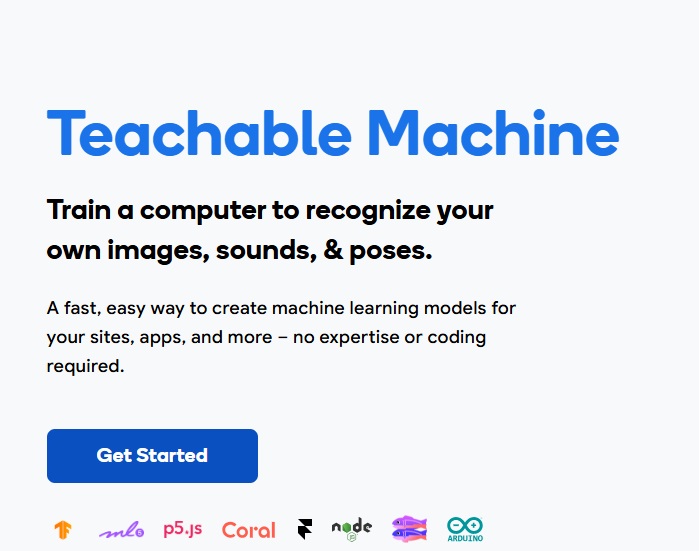
What is Teachable Machine? An overview
History, origin
Teachable Machine was developed by Google Creative Lab as an experimental project to make machine learning more approachable. Launched in 2017, it was designed to empower users to create their own AI models by simply providing examples through images, sounds, or poses. The goal was to demystify AI and encourage creativity by allowing anyone to train models without coding.
Versions and editions
The tool is primarily available as a free web-based application accessible through modern browsers. There are no paid editions or pricing tiers, making it widely accessible. It supports multiple languages for the interface, including English, Spanish, French, German, and more, catering to a global audience. Since it is a web tool, there is no need for installation or purchase.
Platform availability
Teachable Machine runs entirely in the browser, compatible with Windows, macOS, Linux, and Chromebook computers. It also works on mobile devices such as Android and iOS smartphones and tablets, provided they have a modern browser and camera access. This flexibility allows users to experiment anywhere without hardware restrictions.
Audience & age
The tool is suitable for learners of all ages, but it is especially popular among middle school students and older. It is ideal for educators integrating AI concepts into classrooms and for hobbyists interested in exploring machine learning fundamentals. No prior coding experience is necessary, but basic computer skills and curiosity about AI are helpful.
Educational Value – What skills does Teachable Machine develop?
- Pattern recognition: Users train models by providing examples, which teaches them to identify and differentiate patterns in data such as images or sounds.
- Attention and focus: The process requires careful input and verification to ensure the model learns correctly, encouraging sustained concentration.
- Deductive reasoning: Players analyze why a model makes certain predictions, helping them understand cause-effect relationships in data.
- Creative thinking: The open-ended nature allows users to invent unique projects, from recognizing objects to interpreting gestures, fostering innovation.
- Decision-making: Users decide how to train their models, what examples to provide, and when the model is ready, enhancing strategic thinking.
Prior knowledge is minimal; users need only basic computer literacy and a willingness to experiment with AI concepts.
How to play Teachable Machine?
What does it look like?
The game is a digital web tool featuring an intuitive user interface with three main project types: image, audio, and pose recognition. It includes a camera preview window, training buttons, and a results display. Since it is browser-based, no physical components are included, and no installation is required. The technical requirements are modest: a device with a webcam or microphone, a modern web browser (Chrome, Firefox, Edge, or Safari), and internet access.
Core concept, gameplay style & mechanics
The core concept revolves around teaching a machine to recognize patterns by showing it examples. Users collect data samples (e.g., images of different objects or sounds), label them, and train a model. The gameplay is interactive and exploratory, encouraging trial and error. The mechanics involve recording inputs, training the model, and testing its predictions in real time.
Objective of the game
The main objective is to successfully train a machine learning model that can accurately recognize new inputs based on the examples provided. This could mean distinguishing between different objects, sounds, or body poses. The challenge lies in collecting enough quality data and refining the model to improve accuracy.
Step-by-step basic gameplay loop
- Choose the type of project: image, audio, or pose.
- Collect and label samples by recording inputs through your device.
- Train the model by clicking the train button.
- Test the model by providing new inputs and observing predictions.
- Refine by adding more samples or adjusting inputs as needed.
Common mistakes
- Providing too few samples, which leads to inaccurate models.
- Using inconsistent or poor-quality data that confuses the model.
- Not testing the model thoroughly before concluding it is ready.
- Ignoring the importance of balanced examples for each class.
Expert tips
- Collect diverse and representative samples to improve model robustness.
- Use clear and consistent labeling to avoid confusion during training.
- Test with various inputs to identify weaknesses and retrain accordingly.
- Experiment with different project types to explore AI capabilities fully.
Alternative games to Teachable Machine
While True: learn() is a puzzle game about machine learning and AI where players decode cat language and build neural networks. It offers a more narrative-driven experience with programming challenges, making it a great alternative for those who want a game-like environment with AI concepts. You can learn more about it here.
AI Dungeon is an AI-powered text adventure game that uses machine learning to generate dynamic storylines. While it focuses more on creative storytelling than model training, it still introduces players to AI’s potential in language understanding. It’s a fun alternative for those interested in AI-driven narratives. Check it out here.
Teachable Machine FAQ
What is Teachable Machine?
Teachable Machine is a free web tool developed by Google that allows users to train machine learning models using their own data without coding.
Do I need programming skills to use Teachable Machine?
No, the tool is designed to be user-friendly and requires no prior programming knowledge.
Can I use Teachable Machine on mobile devices?
Yes, it works on modern smartphones and tablets through compatible web browsers with camera or microphone access.
Is Teachable Machine free to use?
Yes, it is completely free and accessible online with no subscription or purchase required.
What skills can I develop by using Teachable Machine?
The tool helps improve pattern recognition, attention and focus, deductive reasoning, creative thinking, and decision-making.
To sum up
This web tool for training machine learning models that helps enhance pattern recognition, attention and focus, deductive reasoning, creative thinking, and decision-making is a fantastic way to explore AI hands-on. Its accessibility, no-cost availability, and engaging interface make it suitable for learners and educators alike. By experimenting with data and models, users gain valuable insights into how machines learn and make decisions.
To play Teachable Machine
Web browser: https://teachablemachine.withgoogle.com/
Sources
- Official Teachable Machine Website
- Google AI Blog – Introducing Teachable Machine
- Wired Article on Teachable Machine
Player Reviews
There are no reviews yet. Be the first one to write one.